I remember sitting at my kitchen table last year, staring at a blank screen with my heart hammering against my ribs, praying my neighbor wouldn’t start his leaf blower right as I hit “join meeting.” We’ve all been told that mastering remote job interview tips means buying a professional ring light or a high-end ergonomic chair, but honestly? That’s just expensive noise. Most of the advice out there focuses on looking like a polished corporate robot, when the real challenge is actually managing the chaos of your own environment so you can show up as a human being.
I’m not here to sell you on a lifestyle overhaul or a suite of fancy gadgets you don’t need. Instead, I want to share the low-friction systems I’ve built over years of freelance project management to keep my tech, my space, and my nerves in check. We’re going to focus on practical, repeatable steps that prioritize your mental clarity over your aesthetic, ensuring you can actually focus on the conversation instead of your Wi-Fi signal.
Table of Contents
Optimizing Your Remote Interview Technical Setup and Lighting
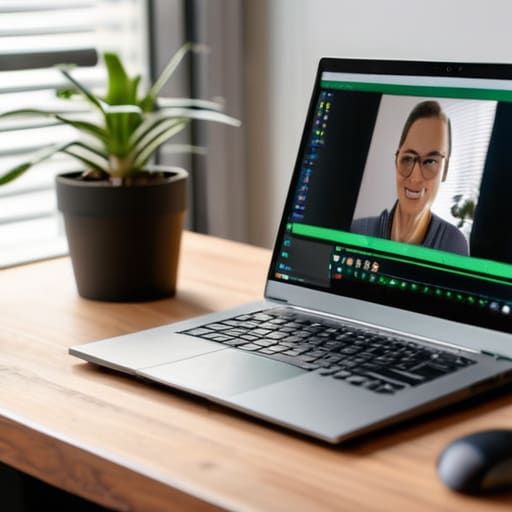
We’ve all been there: you’re mid-sentence, feeling confident, and suddenly your screen freezes or you realize you’re staring into a dark abyss because your lamp is behind you. To avoid this, I treat my remote interview technical setup like a pre-flight checklist. Before the call, I do a quick test run of my mic and camera to ensure everything is crisp. Most importantly, I prioritize natural light—if you can, sit facing a window. If that’s not an option, a simple desk lamp positioned behind your laptop can work wonders. Avoid harsh overhead lights that create shadows under your eyes; you want to look awake and engaged, not like you’re in a witness protection program.
As for your surroundings, don’t feel pressured to have a pristine, designer office. A professional background for video calls doesn’t have to be a blank white wall; it just needs to be intentional and clutter-free. I usually aim for a corner with a bit of greenery or a neatly organized bookshelf. The goal is to minimize visual noise so the interviewer stays focused on your words rather than the pile of laundry just out of frame. When your environment feels controlled, it’s much easier to manage your nerves and stay present in the conversation.
Professional Backgrounds and Video Conferencing Etiquette for Calm
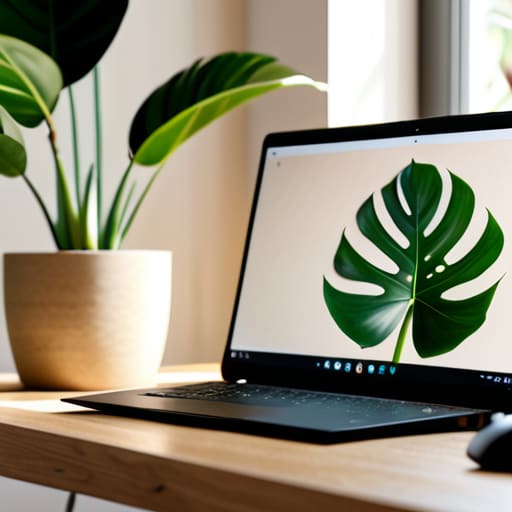
Once you’ve nailed the tech side, the next step is managing the visual environment to keep your focus on the conversation. I’ve found that a cluttered bookshelf or a pile of laundry in the corner can be a massive distraction—not just for the interviewer, but for you, too. Aim for a professional background for video calls that is intentional but simple. A plain wall or a tidy corner with a single plant works wonders. The goal is to minimize visual noise so that when you’re tackling those tough remote interview questions and answers, your brain isn’t subconsciously trying to tidy up your living room.
Beyond the scenery, let’s talk about the subtle art of video conferencing etiquette. Since we lose those natural physical cues in a digital space, I always remind myself to maintain steady eye contact by looking directly into the camera lens rather than at the person’s eyes on the screen. It feels a little awkward at first, but it makes a world of difference in how you project confidence. Also, try to stay mindful of your “digital presence”—nodding slightly to show you’re listening and keeping your movements calm. These small, repeatable habits are what help in overcoming digital interview anxiety by giving you a sense of control over the interaction.
Mastering the Mental Game: Systems to Keep You Calm and Present
- Create a “Pre-Interview Ritual” to signal to your brain that it’s time to shift gears. Instead of scrolling through your phone or re-reading your resume five minutes before the call—which only spikes your cortisol—try a five-minute restorative yoga stretch or a quick breathing exercise. I’ve found that having a consistent, repeatable transition helps me move from “freelance chaos” into “professional focus” without the frantic energy.
- Keep a “Cheat Sheet” within arm’s reach, but don’t let it become a crutch. I always keep my physical notebook open next to my laptop with three or four key stories or data points I want to mention. This way, if my mind goes momentarily blank from nerves, I don’t have to panic; I just glance down at my handwritten notes to find my place and keep the conversation flowing naturally.
- Script your “Tech Troubleshooting” response in advance so you aren’t caught off guard. If your Wi-Fi drops or your audio cuts out, the panic can derail your confidence. Decide now how you’ll handle it—like having the recruiter’s phone number ready to send a quick text or knowing exactly how to restart your router—so you can address the glitch with pragmatic calm rather than visible frustration.
Quick Wins for a Smoother Interview Day
Create a “pre-flight” ritual by testing your tech and reviewing your notes 20 minutes before the call; it’s much easier to troubleshoot a glitch when you aren’t already feeling the pressure of the countdown.
Prioritize your mental environment as much as your physical one—having a glass of water and a clean, uncluttered desk nearby helps keep you grounded so you can actually engage with the interviewer instead of fighting your own distractions.
Final Thoughts for Your Big Day
At the end of the day, prepping for a remote interview is really just about removing the friction that keeps you from being yourself. By checking your tech, smoothing out your lighting, and creating a workspace that feels intentional rather than chaotic, you’re doing more than just looking professional—you’re protecting your mental energy. When you aren’t worrying about a sudden Wi-Fi drop or a messy bookshelf in the background, you can actually devote your full attention to the person on the other side of the screen. Remember, the goal isn’t to create a perfect, sterile studio; it’s to build a reliable, low-stress environment that lets your skills take center stage.
I know how nerve-wracking these moments can feel, especially when you’re trying to make a great impression from your own living room. But please, try to remember that these systems are here to serve you, not to add another layer of pressure to your plate. You have the talent and the experience; the setup is just there to make sure nothing gets in your way. Take a deep breath, grab a glass of water, and trust your preparation. You’ve done the work, and now it’s time to just show up and be you.
Frequently Asked Questions
What should I do if my internet connection starts lagging or drops completely mid-interview?
First, take a breath. If the lag hits, don’t panic or scramble—that just adds to the mental load. If you can, immediately switch to your phone’s data hotspot; it’s often more stable than spotty Wi-Fi. If you drop completely, send a quick, professional email or text to your interviewer right away. Acknowledging the tech glitch immediately shows you’re proactive and composed, even when things aren’t going according to plan.
How do I handle eye contact naturally when I'm trying to look at my notes and the camera at the same time?
This is such a common struggle—I used to feel like I was constantly looking away, which made me feel disconnected. My trick is to keep my notes as close to the camera lens as possible. If you use a physical notebook, prop it up right under your webcam. This minimizes the distance your eyes travel, so it feels more like a natural glance rather than a total shift in focus. Keep it brief, then look back at the lens.
