I remember sitting at my kitchen table a few years ago, staring at a blank screen and feeling completely paralyzed by a client’s request for a brand mood board. I had zero budget and even less formal training, which made the whole thing feel incredibly overwhelming. We often think that high-quality visuals require a massive monthly subscription or a degree in graphic design, but that’s just not true. Finding the best free design tools is actually about finding the right systems that allow you to express your ideas without the constant mental clutter of expensive software fees.
In this post, I’m breaking down three specific resources that have become absolute staples in my own freelance toolkit. I’ve curated these because they aren’t just flashy; they are functional, intuitive, and easy to integrate into a busy schedule. By the end of this, you’ll have a clear roadmap to streamline your creative process and produce professional results, even if you’re starting from absolute scratch.
Table of Contents
The All-in-One Visual Lifesaver
When I first started freelancing, I used to spend way too much time bouncing between five different apps just to create a simple social media graphic or a basic presentation. That’s when I finally embraced Canva, and honestly, it changed my entire workflow. It’s not just about the pretty templates; it’s about the mental bandwidth you save when you aren’t fighting with complex software just to resize an image.
Polishing Your Pixels with Ease
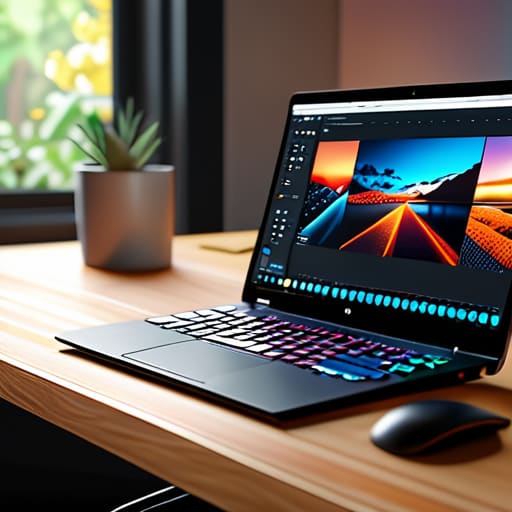
We’ve all been there—you find the perfect photo for a blog post or a project, but there’s a distracting stray object in the background that just ruins the vibe. Instead of stressing over expensive photo editing suites, I’ve started relying on Photopea. It’s a browser-based tool that feels remarkably similar to Photoshop, which is a total game-changer when you need to do some serious heavy lifting without the monthly subscription fee.
Organizing Your Creative Vision
As someone who constantly carries a physical notebook to sketch out ideas, I often find myself struggling to bridge the gap between my analog scribbles and a digital reality. This is where Figma comes in. While it’s technically a prototyping tool used by heavy-duty designers, I’ve found it to be an incredible space for visual brainstorming and layout planning. It allows me to map out how a website or a digital document should actually flow before I commit to the final build.
Final Thoughts on Building Your Toolkit
Don’t feel pressured to master every tool at once; start with one that solves your most immediate bottleneck and let your workflow evolve naturally.
Remember that the best system isn’t the one with the most features, but the one that actually reduces your mental load and lets you get back to the work you love.
Finding Your Creative Flow
At the end of the day, building a creative toolkit doesn’t require a massive monthly subscription or a degree in graphic design. Whether you’re leaning on Canva for quick social graphics, using Figma to map out a new project layout, or pulling high-quality assets from Unsplash, the goal is the same: to remove the friction between your ideas and the finished product. By integrating these three tools into your routine, you aren’t just making things look pretty; you are building a repeatable system that saves you time and mental energy.
I know how overwhelming it feels when you have a vision but feel held back by technical hurdles. But remember, the software is just a means to an end. Don’t let the pursuit of the “perfect” setup stop you from actually starting. My best advice is to pick one tool, play around with it for twenty minutes, and just see what happens. Life is far too busy to spend it fighting with complicated interfaces—focus on the creation, and let these tools handle the heavy lifting.
Frequently Asked Questions
Do these free tools actually have enough features to handle professional client work, or are they just for quick social media posts?
That’s the million-dollar question, isn’t it? Honestly, it depends on your workflow. If you’re doing heavy-duty, high-resolution branding or complex vector illustrations, you’ll eventually hit a wall with these free versions. But for most of my freelance client work—think social media kits, slide decks, or basic web assets—they are more than enough. They provide the structure you need to deliver professional results without the heavy overhead of a massive monthly subscription.
Is there a steep learning curve with these programs, or can I jump right in without feeling overwhelmed?
Honestly, I get the hesitation. The last thing I need when I’m already juggling client deadlines is a software manual that feels like a textbook. The good news? None of these require a degree to start using. While you won’t master every single advanced feature by lunch, you can definitely jump in and start creating something functional immediately. Just take it one tool at a time—don’t feel like you have to learn everything at once.
