I used to think that my scattered thoughts were just part of my personality, but I eventually realized they were actually just unmanaged data. Between juggling freelance client deadlines and trying to remember if I actually bought basil for my herb garden, my brain often felt like a browser with fifty tabs open at once. I quickly learned that without a reliable system to capture ideas the second they strike, that mental clutter starts to feel heavy. Finding the best note taking apps isn’t about being a perfectionist; it’s about building a digital safety net so you don’t have to rely on your memory for everything.
In this post, I’m breaking down the three specific tools that actually made it into my daily workflow. I won’t overwhelm you with a massive list of every feature under the sun; instead, I’m sharing the three options that I believe offer the most functional simplicity for real life. Whether you need a place for deep project planning or just a quick spot for a grocery list, these picks will help you clear the fog and reclaim your focus.
Table of Contents
The Visual Brain’s Best Friend: Notion
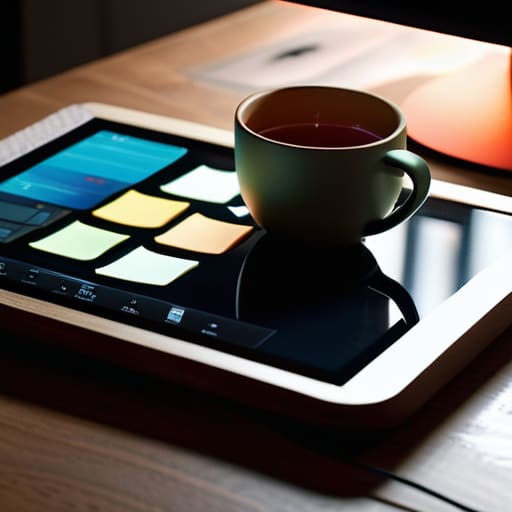
If you’re anything like me, your brain doesn’t just work in straight lines; it works in clusters, connections, and visual maps. I used to struggle with traditional list-based apps because they felt too rigid for the way I actually think. Notion changed that for me because it functions more like a digital sandbox than a simple notepad. I can build out a project dashboard for a freelance client one minute, and then pivot to a simple, aesthetic habit tracker for my yoga practice the next.
For the Minimalist Purist: Bear
Sometimes, the last thing I need after a long day of managing client spreadsheets is another complex interface staring me in the face. When I want to just sit down and write—whether it’s a quick grocery list or a deep dive into a new project idea—I turn to Bear. It’s incredibly clean, distraction-free, and uses a simple markdown system that feels very intuitive. It doesn’t demand that you organize everything into complex hierarchies; it just lets you capture the thought before it slips away.
The All-In-One Powerhouse: Evernote
There was a time when Evernote was my absolute lifeline, and even now, it remains my go-to for the “everything” category of my life. I use it to clip articles I want to read later, snap photos of physical receipts for my taxes, and store those random snippets of inspiration that pop up while I’m out and about. It’s less about the “vibe” and more about the sheer utility of having a searchable brain that lives in your pocket.
Finding Your Flow
Remember that the “best” app isn’t the one with the most bells and whistles; it’s the one that actually gets out of your way so you can start thinking again.
Don’t aim for a perfect digital setup right out of the gate—start with one simple system, get it working for your daily routine, and let it grow as your needs change.
Finding Your Flow
Whether you find yourself gravitating toward the structured power of a heavy-duty database or the breezy, minimalist feel of a simple digital scratchpad, the goal remains the same: getting the clutter out of your head and into a reliable system. We’ve looked at how different tools handle everything from deep project planning to those quick, fleeting grocery lists I always scribble in my notebook. There isn’t a single “correct” choice here, only the tool that actually works for your specific brain and your daily rhythm.
At the end of the day, please remember that these apps are just tools, not the destination. A fancy digital setup won’t fix a chaotic life, but it can certainly provide the mental breathing room you need to stay present. Don’t get paralyzed by trying to build the perfect, flawless system on day one. Just pick one, start small, and let it grow with you. Once you stop fighting the mental load, you’ll finally have the space to actually enjoy the life you’re working so hard to organize.
Frequently Asked Questions
How do I decide between a simple app for quick lists and a more complex one for long-term projects?
Think of it like your kitchen: you wouldn’t use a heavy-duty stand mixer just to stir a single egg, and you wouldn’t try to prep a week of meals with just a teaspoon. I usually ask myself: “Am I capturing a fleeting thought or building a foundation?” If it’s a grocery list or a quick “don’t forget” item, keep it light. If it’s a project with moving parts, give it a dedicated, robust home.
Is it worth paying for a premium subscription, or can I get everything I need with a free version?
Honestly, I used to feel so much guilt about paying for subscriptions, but here’s my rule of thumb: if you’re just jotting down grocery lists or quick thoughts, the free versions are more than enough. But if you’re using an app to manage your entire freelance workflow or complex projects, that premium upgrade is an investment in your sanity. If a feature saves you twenty minutes of mental friction every day, it’s worth the cost.
