
I was sitting at my desk last Tuesday, mid-flow with a client project and a lukewarm cup of herbal tea, when I clicked a link for a gorgeous linen throw pillow that seemed too good to be true. I almost pulled out my card before that tiny, nagging feeling in my gut told me to pause. We’ve all been there—that split second of excitement followed by a sudden, sinking realization that you might be about to hand your data over to a total stranger. Learning how to spot a fake website shouldn’t require a degree in cybersecurity or a massive subscription to some expensive monitoring software; it just requires a few reliable, grounded habits to protect your digital space.
I’m not here to overwhelm you with technical jargon or scare tactics that leave you feeling paralyzed every time you shop online. Instead, I want to share the simple, repeatable systems I use to vet sites in seconds so I can get back to my actual life. We’re going to walk through a few practical, no-nonsense checkpoints—from URL scrutiny to those subtle design red flags—that will help you navigate the web with confidence and keep your peace of mind intact.
Table of Contents
Identifying Suspicious Urls and Phishing Website Red Flags

The first thing I always do—usually while I’m sipping my morning coffee and trying to stay focused—is take a hard look at the address bar. Scammers have gotten incredibly good at mimicking big brands, but they almost always stumble when it comes to identifying suspicious URLs. Look closely at the spelling; if you’re on a site that claims to be Amazon but the URL is “amozon-deals-today.net,” your internal alarm should be going off. Even a tiny typo or an extra hyphen is a massive giveaway that you aren’t where you think you are.
Once you’ve cleared the URL hurdle, check for those classic phishing website red flags like a sense of artificial urgency. If a site is screaming at you with pop-ups saying your account will be deleted in ten minutes unless you click right now, take a breath and step away. I also make it a habit of checking for the padlock icon to ensure I’m checking SSL certificate authenticity, though remember that even a “secure” site can be a scam if the domain itself is fake. It’s all about building that habit of pausing before you click.
Checking Ssl Certificate Authenticity for Online Shopping Safety Tips
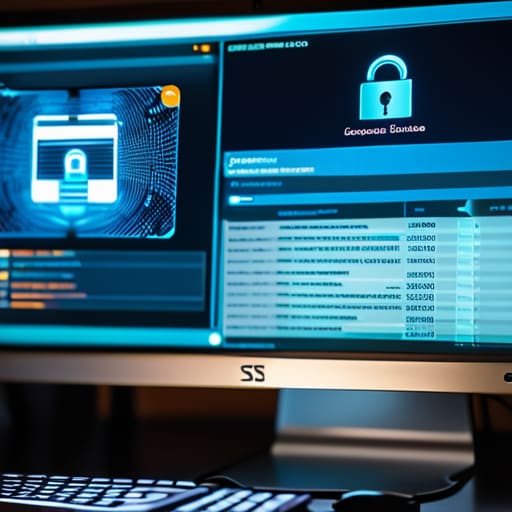
Now, let’s talk about that little padlock icon in your browser bar. We’ve all been trained to look for it, but just seeing the “https” doesn’t mean you’re automatically in the clear. When I’m browsing for something specific—like a new ergonomic keyboard or a sustainable linen set—I make it a habit to actually click that padlock. This is the core of checking SSL certificate authenticity; it allows you to view the certificate details and see who actually issued it. If the certificate looks generic or seems to have expired, that’s a massive red flag.
A legitimate store will have a certificate tied to their specific domain, which is a key part of how to verify domain ownership. If you’re on a site that claims to be a major retailer but the security certificate is registered to a random individual or an unrelated company, trust your gut and close the tab. Integrating this tiny, two-second check into your routine is one of the most effective online shopping safety tips I’ve adopted to keep my bank account (and my peace of mind) secure.
Three Quick Gut Checks to Keep Your Data Safe
- Trust your instincts on the design. If you land on a site that looks like it was built in 2005, has broken links everywhere, or is riddled with typos, it’s a massive red flag. Legitimate businesses invest in their digital storefront for a reason; a sloppy layout is often a sign that someone is just trying to pull a fast one.
- Look for the “too good to be true” factor. We’ve all seen those ads for designer goods at 90% off, but if a site is offering a brand-new tech gadget for a fraction of its retail price, it’s almost certainly a trap. Real deals exist, but they usually come from recognizable retailers, not some random URL you found in a social media comment section.
- Verify through a second source. If you’re feeling unsure about a site, don’t just keep clicking around. Open a new tab and search for the site’s name plus the word “reviews” or “scam.” Better yet, if it’s a shop you’ve never heard of, check their social media presence—real companies usually have an active, engaged community, not just a dead Facebook page.
Quick Systems to Protect Your Digital Peace of Mind
Before you type in a single detail, take a five-second pause to scan the URL for those tiny, intentional typos that scammers love to use.
Trust your gut—if a site feels off or is pressuring you to act instantly, close the tab and find the official source instead to avoid the headache of a security breach.
Protecting Your Digital Peace of Mind

At the end of the day, staying safe online isn’t about being a tech expert; it’s about building a few simple habits that protect your time and money. Remember to always take that extra second to scan the URL for weird misspellings, double-check that the SSL certificate is actually valid, and trust your gut if a deal looks way too good to be true. By keeping an eye out for these small red flags, you’re not just protecting your data—you’re reducing the mental clutter that comes with worrying about a potential hack or a compromised bank account.
I know that navigating the digital world can feel overwhelming sometimes, but you don’t have to be perfect at it to be secure. My philosophy has always been that small, repeatable systems are what actually make life manageable. Once these checks become second nature to you, you can stop worrying about the “what ifs” and get back to what actually matters: enjoying your life with total confidence. You’ve got this.
Frequently Asked Questions
If a website looks professional and has a little padlock icon in the corner, is it automatically safe to enter my credit card info?
Short answer? Absolutely not. I used to think that little padlock meant a site was “safe,” but it really just means the connection is encrypted—not that the person on the other end is trustworthy. A scammer can easily get an SSL certificate to make their site look official. Think of it like a secure envelope: the contents are protected during delivery, but if the sender is a fraud, you’re still handing your info to a thief.
How can I tell if a site is a scam if it's actually being advertised through a social media post or a friend's message?
This is where it gets tricky, because social media can make even the sketchiest ads look polished. If a friend sends a link, don’t assume it’s safe—their account might be compromised. Before you click, pause. Check the comments for “bot-like” praise and see if the brand has a verified presence elsewhere. If an ad promises something too good to be true, it usually is. Trust your gut; if it feels off, skip it.
